Expressions, Groups and Aliases
Expressions calculate new values over the loaded maps, map groups let one expression run over several maps, and aliases give maps descriptive names.
Expressions and Map Groups
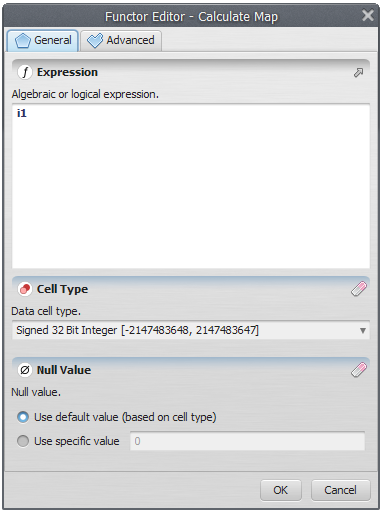
Calculate Expression
The Map Viewer accepts calculate expressions that are executed on each loaded map or on each map group. The text area colors the known elements automatically. The expression syntax is described in Image Expression Type. The default expression for a loaded map is i1.
Map Groups
A map group is created from a series of maps in the stack. Groups aggregate information and allow a single calculate expression to run over several maps.
Creating a Map Group
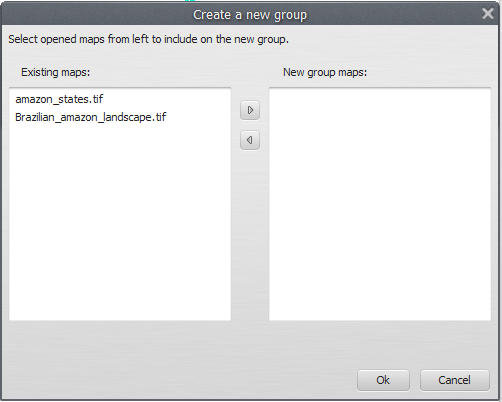
Click the “Create map group” toolbar button. In the dialog that opens, select maps in the left column (the loaded stack) and move them to the right column to build the new group.
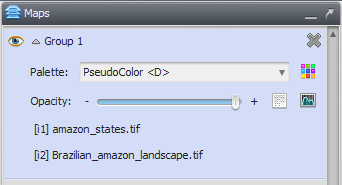
The new group looks like a normal loaded map, except that it lists the maps in the group with their indices for use in the calculate expression.
Map Alias
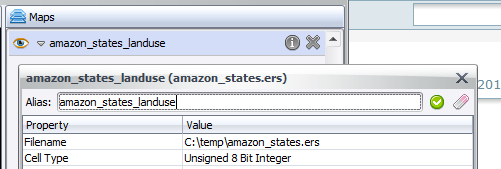
An alias gives a map a more meaningful name in the Map Viewer.
Important: Aliases are used only by the Map Viewer. Other components of Dinamica EGO do not use them, and they have no impact on simulations.
Setting an Alias
- Load a map. See Loading Maps.
- Click the information icon
 to show the map information.
-
In the dialog, type the new alias in the top text field.
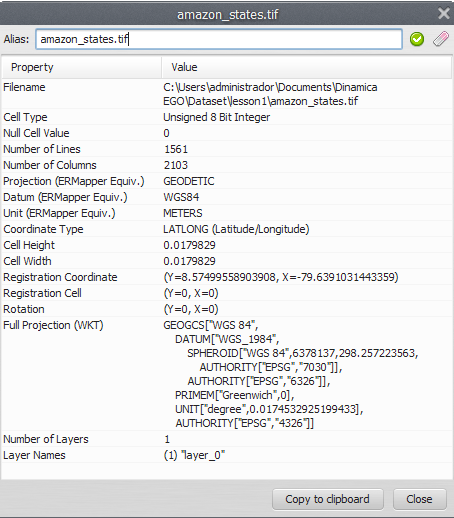
- Click “Apply map alias”
 to set the alias, or “Restore original alias”
 to revert it.
You can also change the alias by double-clicking the map name or alias in the “Maps” window.
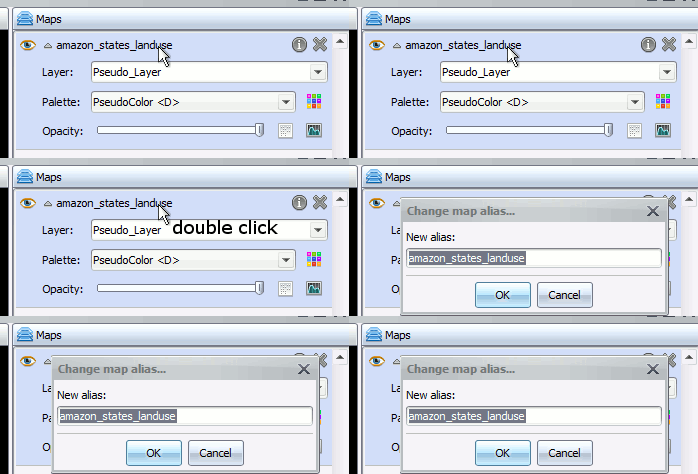
After the change, the alias is shown wherever the map file name would appear: the legend, the map information dialog, and the movie maker.